User management & permissions
Last updated: August 14, 2026
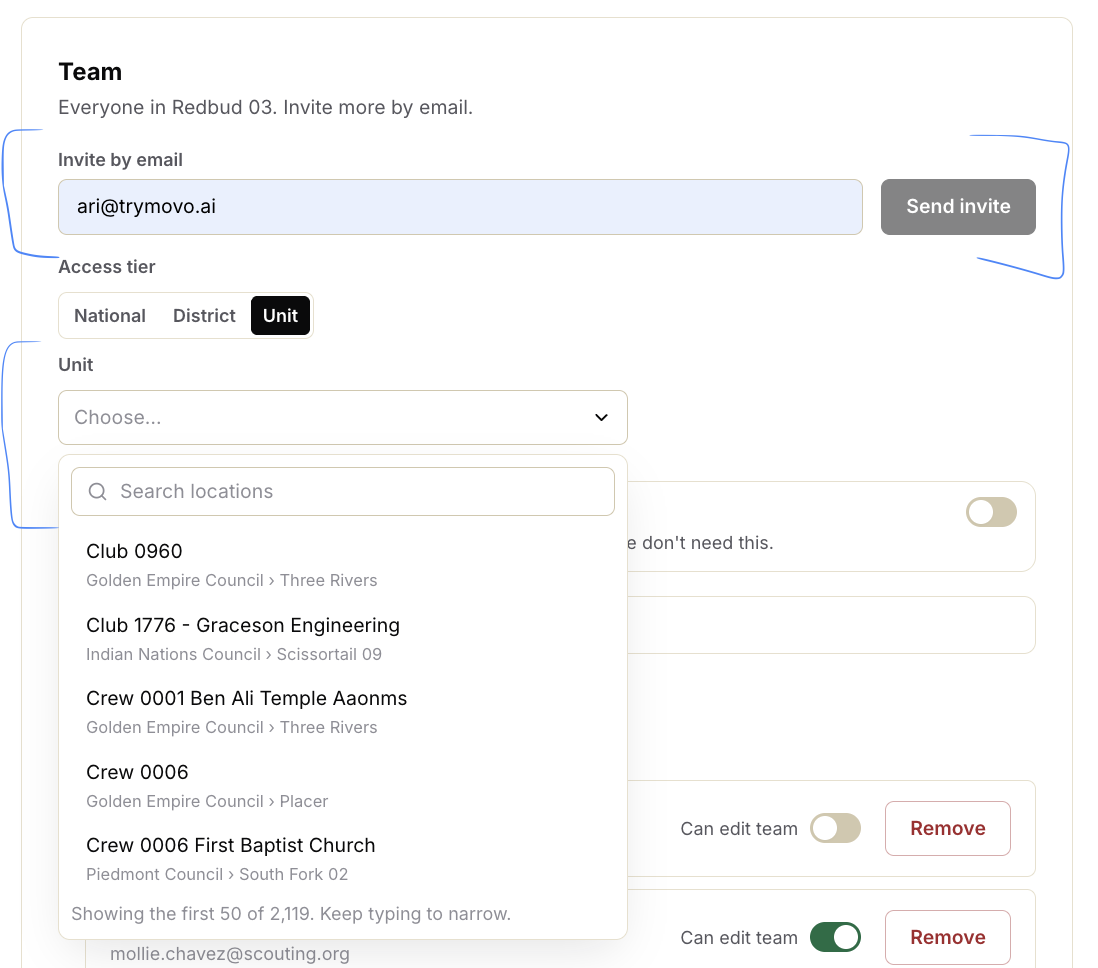
How do I add multiple people to a single unit?
You can add as many people as needed to the same unit - there’s no limit.
Go to Team Settings, add the person and assign them to the relevant unit.
2. Can I give someone permission to manage invites?
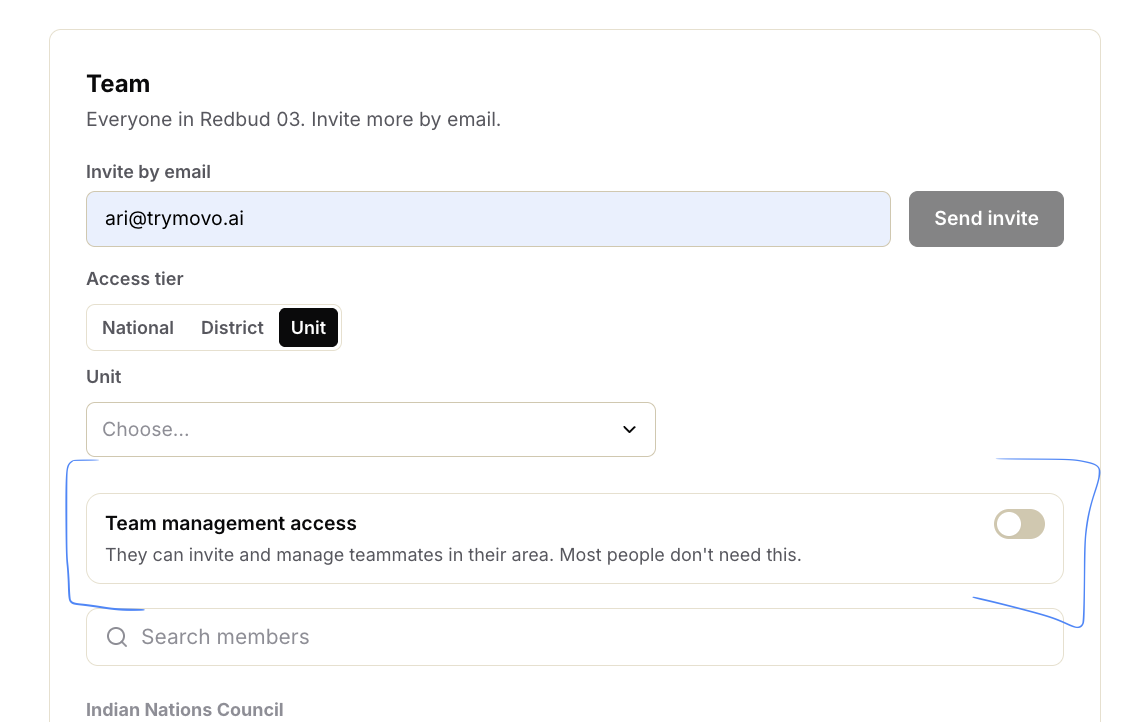
Yes. Turn on Can edit team for that person.
This gives them permission to add/remove people + manage invites, regardless of their access level.
3. Can DEs add unit leaders + resend invites?
Yes. DEs can add people to their units + resend invite links themselves.
4. What are the access levels?
There are four:
National
Council
District
Unit
Each person sees the information relevant to their level.
If you want to give some persmission to make invite changes, you can enable the above regardless of what level your in
5. What happens when someone changes positions?
Movo won’t automatically know when someone leaves or changes positions.
A DE or council member can remove the old person + add the new person with the right access.
All the existing history + context stays in Movo - you’re not starting from scratch.