How to train Movo
Last updated: July 27, 2026
Movo is trained on your existing websites, FAQs, files and documents.
You're able to view, update, and add to that knowledge at any time via the Knowledge page.
Local knowledge
Movo is able to learn and understand knowledge across different levels of your organization.
An understanding on your refund policy may come from the national level, whilst the days and times families meet may come from a unit level.
Each level has their own Knowledge page in the product, and knowledge added here doesn't contaminate other areas of the business. For example, a document promoting an event for Council A would not impact Council B.
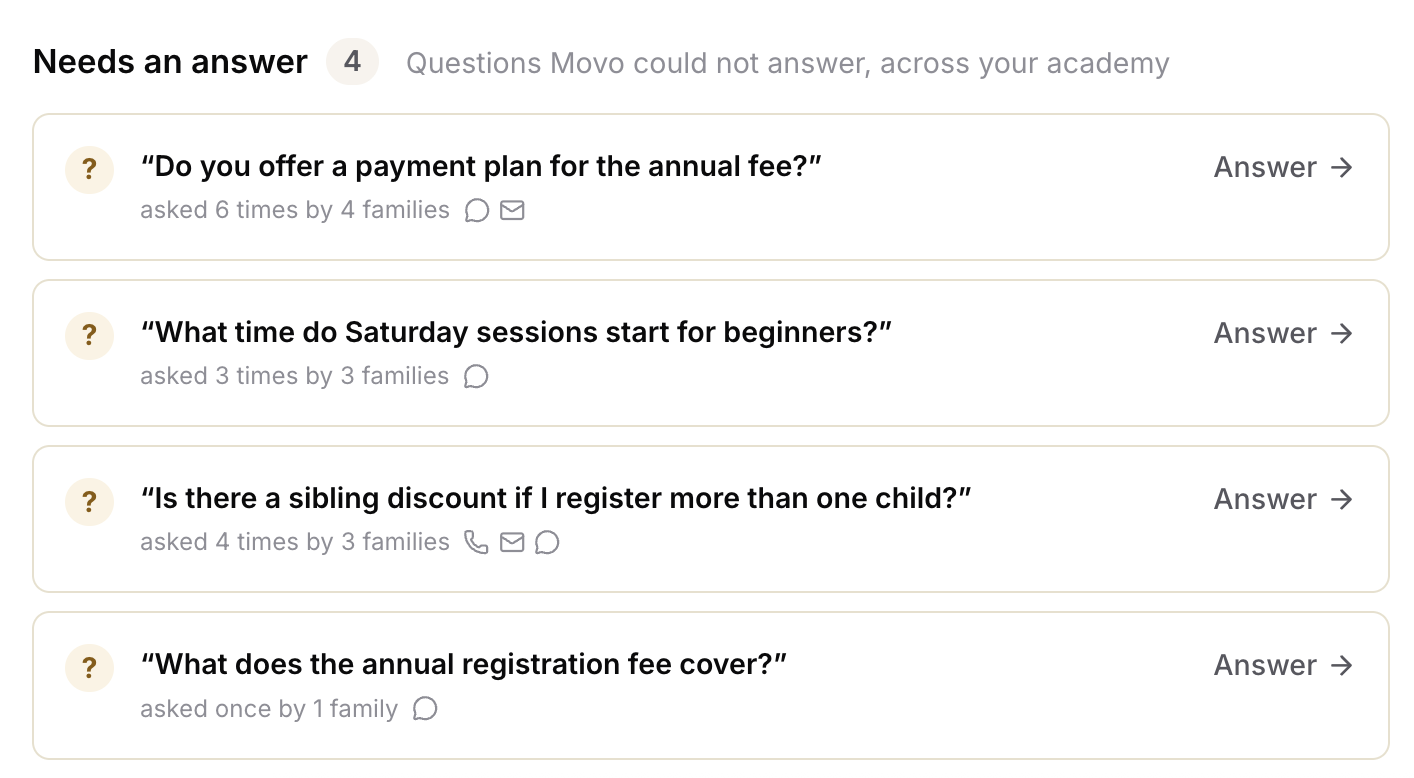
Needs an answer
At the top of the Knowledge page, you'll see any questions that Movo could not answer and be able to add an answer that can be used when that topic is next raised.
You can view more here: 📄 Handling knowledge gaps in Movo
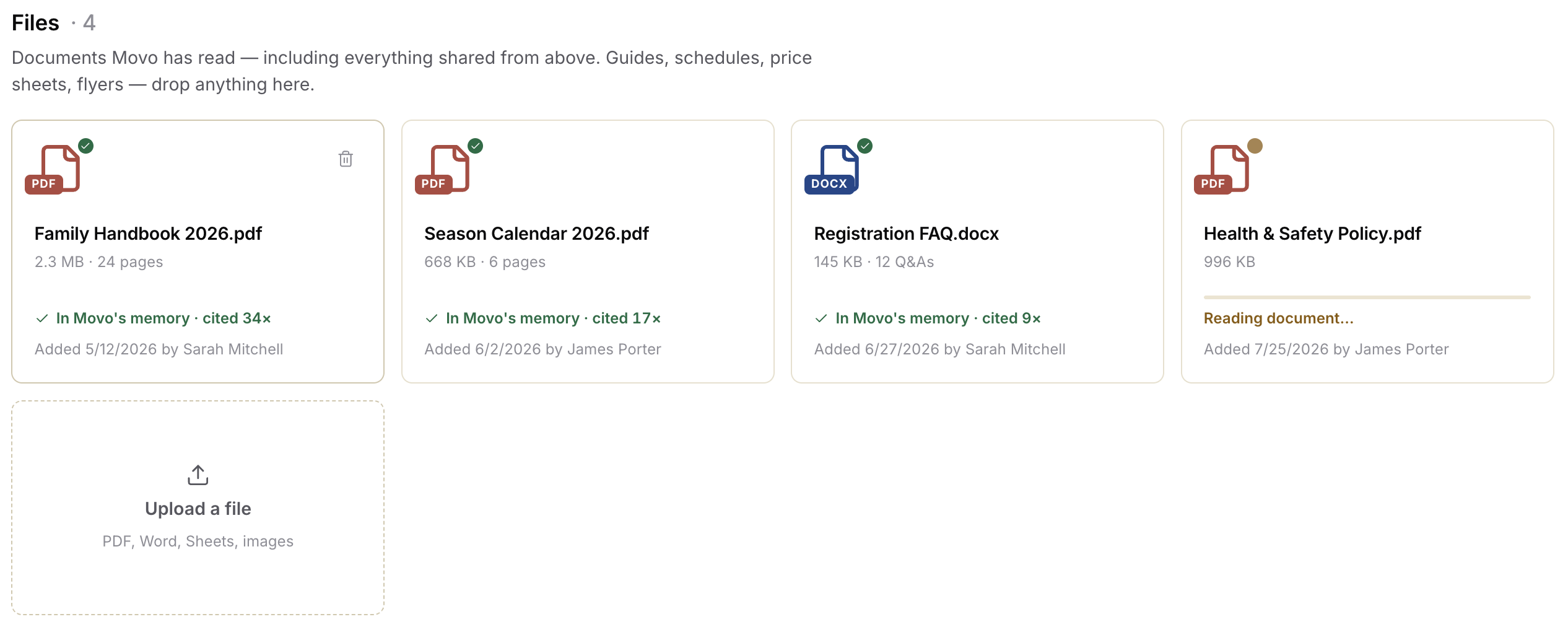
Files
You're able to train Movo by uploading files to the Knowledge base - PDFs, word docs, excel sheets, and images.
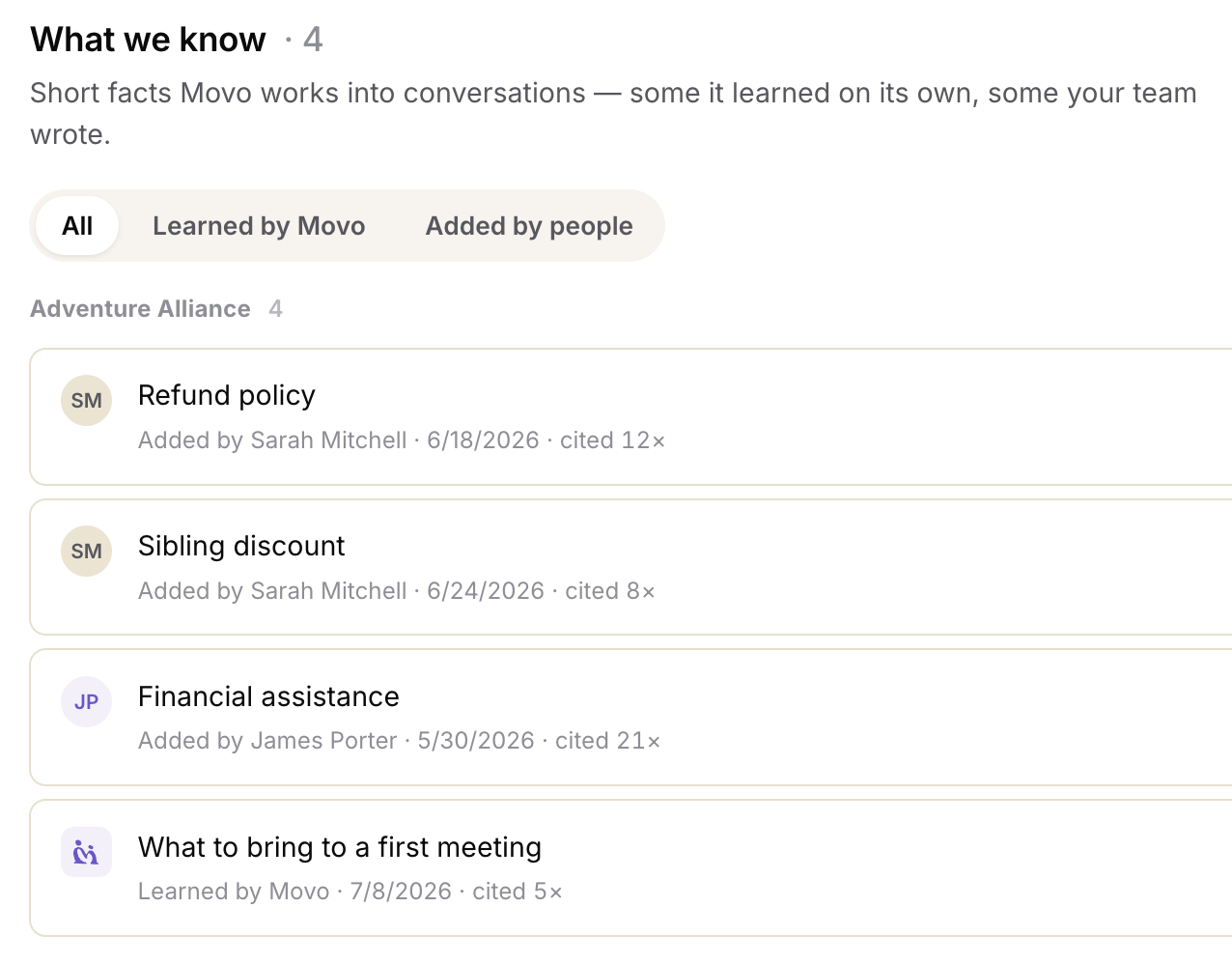
What we Know
You're able to see facts movo has learned by itself, or had an answer provided by a user under the What we know section.
From here, you can review, edit, or remove facts.