How Movo lets you know when a family needs you
Last updated: October 2, 2026
Movo talks to families for you. Most of the time it handles everything on its own. When a family needs a real person, Movo lets you know. Here is how that works and how to change it.
When Movo gets in touch
Movo contacts you when:
A family asks for something Movo can't do. For example, they want to talk to a person, or they need help paying.
A family asks a question Movo doesn't know the answer to. Movo asks you, then passes your answer on to the family.
Movo asks the people closest to the family first. If nobody answers in time, it asks the next person up, and so on. You only hear about it when it's your turn.
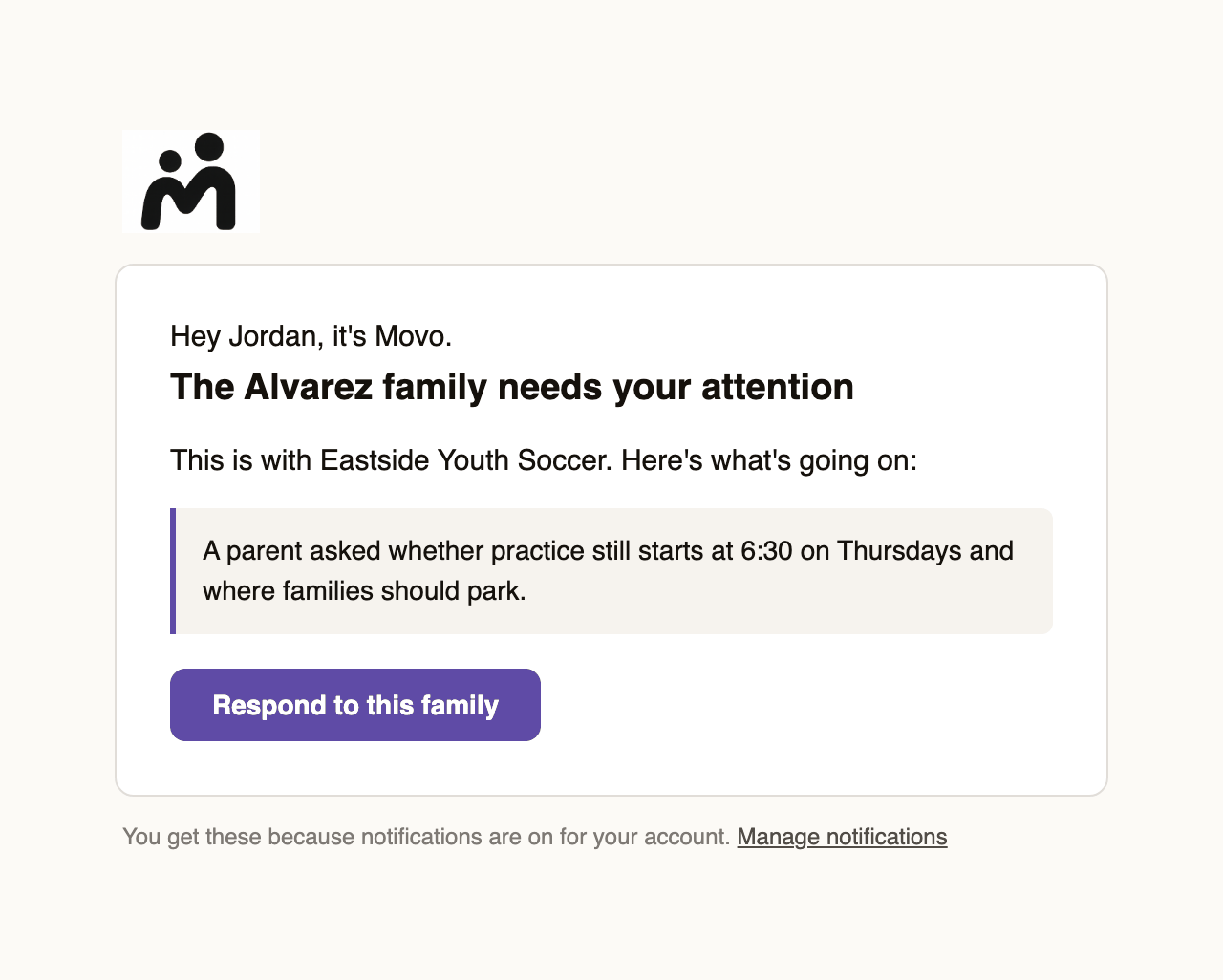
The email shows what the family said and has a button that opens them in Movo.
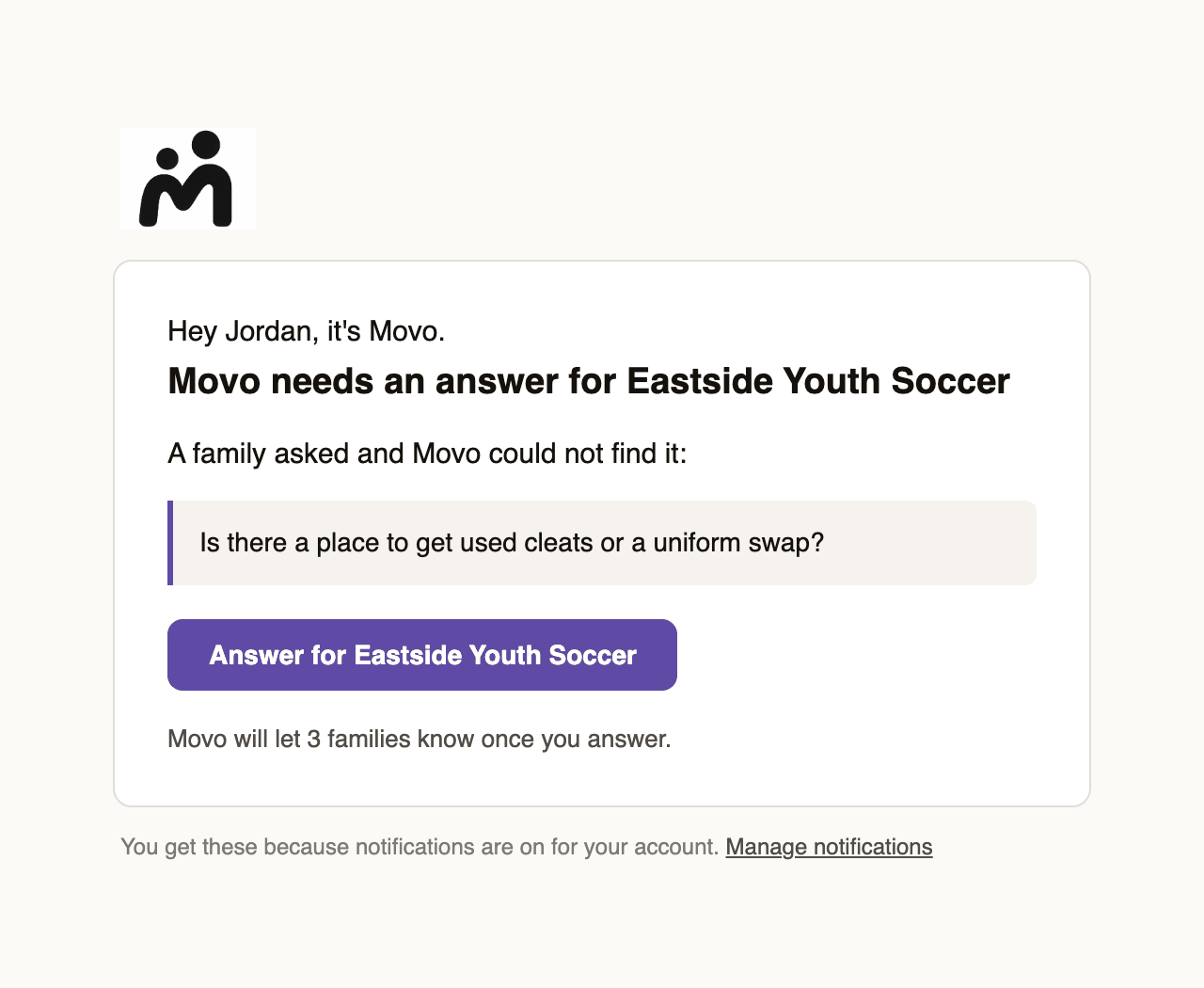
When Movo needs an answer from you, the email asks the question and tells you how many families are waiting on it.
There is one email you can't turn off. If a family raises a concern about a child's safety, the people who handle those always get an email.
Text messages
Texts are short. They never include the family's name or phone number.
Hey Jordan, it's Movo. Looks like a family wants to know when practice starts. Can you take a look here? https://app.trymovo.ai/...Movo only sends texts between 9am and 9pm. Anything that comes in overnight waits until 9am. To get texts, add your mobile number first. See Getting texts instead of emails.
Choose what you get
Go to Settings, then Notifications.
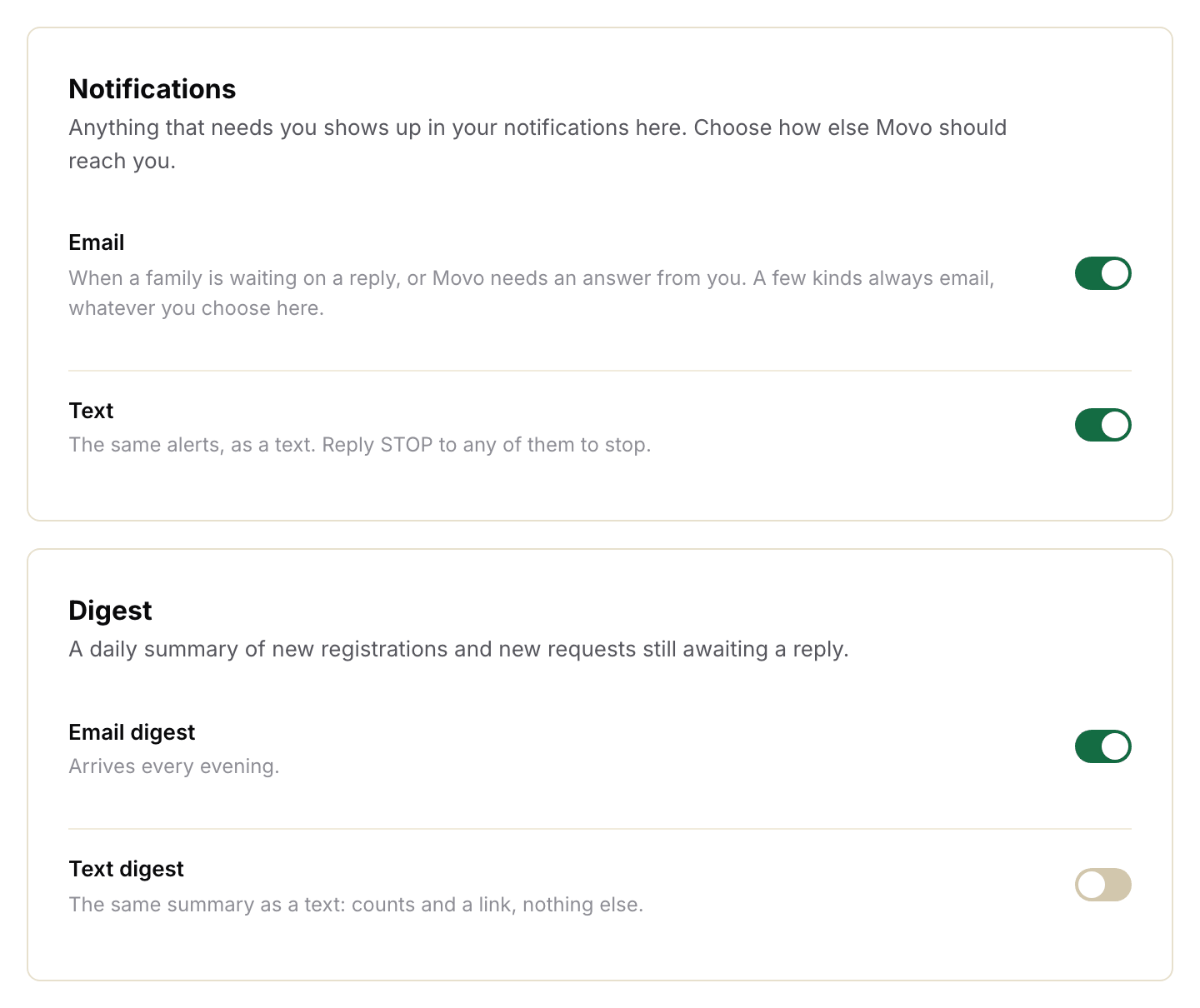
Email: an email every time a family needs you.
Text: a text every time a family needs you.
Email digest: one email every evening with the day's numbers.
Text digest: the same numbers, as a text.
If you haven't added a mobile number yet, the Text switches stay off and tell you where to add one.
The evening digest
Once a day, in the evening, Movo sends you two numbers for your area: how many families registered today, and how many new requests are still waiting for an answer. If nothing happened today, Movo skips it.
It arrives around 8pm Eastern or 5pm Pacific, an hour earlier in winter. The email links to your Home page. The text looks like this:
Hey Jordan, it's Movo with Eastside Youth Soccer. Looks like you have 3 new registrations and 12 new requests waiting on a reply. Can you take a look here? https://app.trymovo.ai/...If your Movo access only covers families assigned to you, you won't get a digest. You still get each alert as it happens.
The Monday roundup
Every Monday around 1pm Eastern, Movo emails you a roundup: every family still waiting on you, and how many are waiting with the people below you. It names the families who have waited longest. If nobody is waiting, there is no email.
Turning things off
Flip the switch in Settings. It saves straight away.
Every Movo email has a Manage notifications link at the bottom that takes you to the same place. An Unsubscribe link turns off that type of email only.
Reply STOP to any Movo text. Texts stop and your number is removed. To start again, text START to the same number, then add your number again in Settings.