Getting texts instead of emails
Last updated: October 2, 2026
Movo can text you when a family needs you. You can get texts as well as emails, or instead of them. It takes two steps: add your mobile number, then turn texts on.
Movo only uses your number for these texts. Families never see it.
Step 1: Add your mobile number
Go to Settings, then Your account.
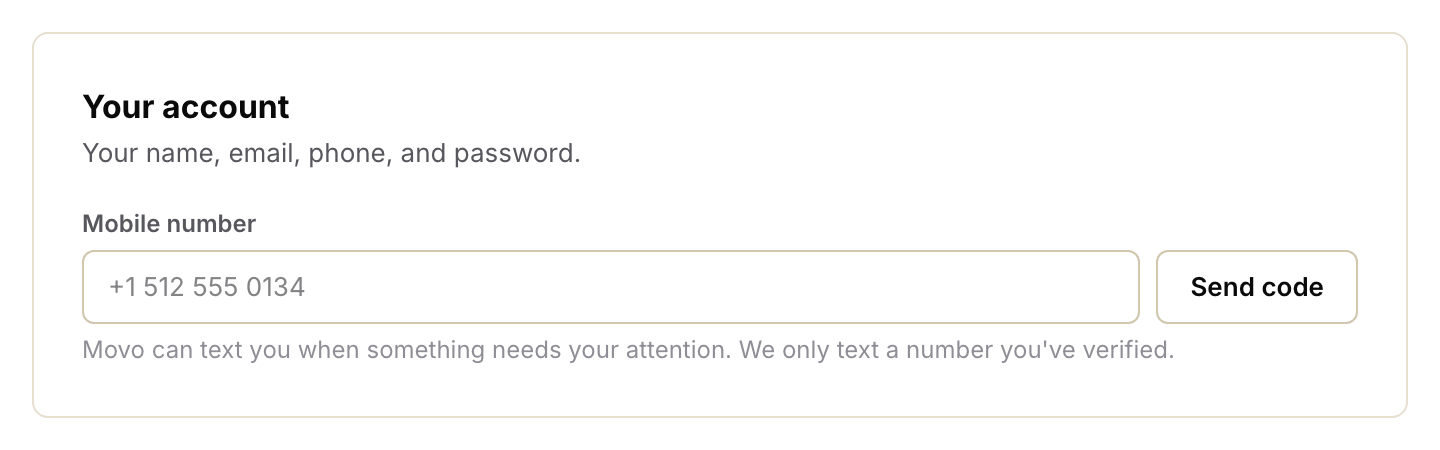
Find Mobile number. Type in your number and click Send code.
Movo texts you a six-digit code. Type it in and click Verify.
Once the code matches, you'll see the number Movo will text. Only the last four digits are shown.
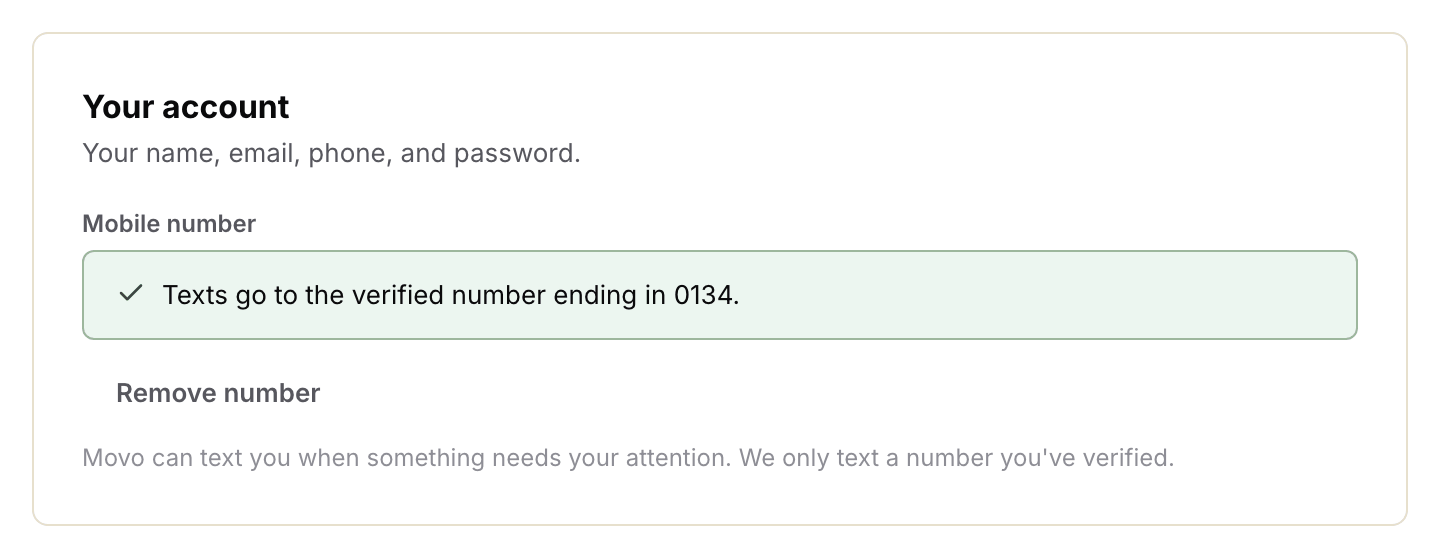
If you added your number on the welcome page when you first joined, you're already done with this step.
Step 2: Turn texts on
Go to Settings, then Notifications. Turn on the switches you want:
Text: a text every time a family needs you.
Text digest: one text every evening with the day's numbers.
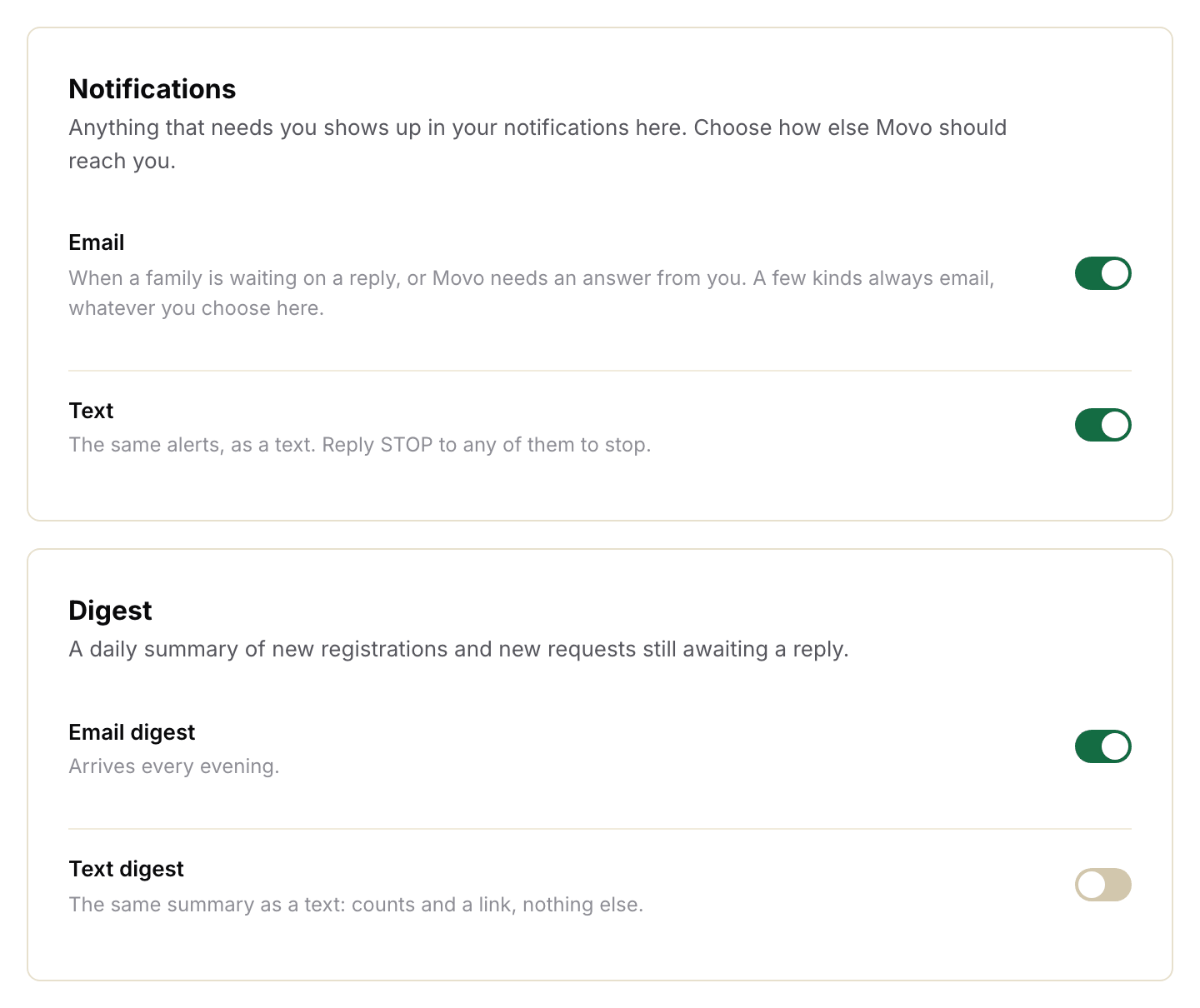
You can leave Email on too, or turn it off and just get texts.
What the texts look like
Texts are short. They never include the family's name, phone number, or address.
Hey Jordan, it's Movo with Eastside Youth Soccer. Looks like a family wants to move their kid up a group and asked about a sibling discount. Can you take a look here? https://app.trymovo.ai/...Tap the link to open the family in Movo. If you're not signed in on your phone, Movo asks you to sign in first.
Movo only sends texts between 9am and 9pm. Anything that comes in overnight waits until 9am. You can still see it in your email right away.
Stopping texts
To pause texts but keep your number, turn the Text switches off in Settings.
Replying STOP to a Movo text also works, but it removes your number too. To start again, text START to the same number, then add your number again under Your account.
To take your number out of Movo completely, click Remove number under Your account.
Can't turn texts on?
If the Text switch is greyed out and says "Add and verify a mobile number", go back to step 1.
If there is no Text switch at all, texts aren't set up for your organization yet. Click Get help and ask us.
Got a new phone? Add the new number under Your account. Texts move to it as soon as the code matches.