Working your Needs You queue
Last updated: October 4, 2026
When a family needs a real person, they show up on Needs You. It's your to-do list: answer each family, or hand them to someone who can. Try to clear it every day.
What's on the page
Go to Needs You. Each row is a family waiting on you: who they are, what kind of help they need, what they said, and how long they've been waiting. The family who has waited longest is at the top.

Answer a family
Click Reply on the row.
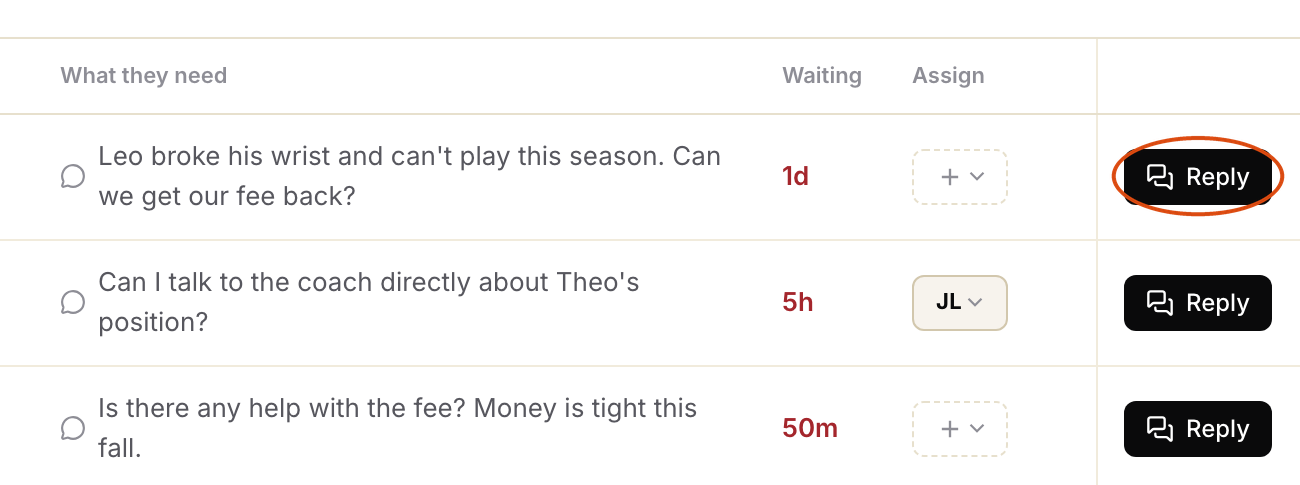
The family's conversation opens. A box above the reply area says what they need. Type your answer at the bottom and click send.

Once you reply, Movo usually closes it for you. If your reply asks the family something or promises to follow up, it stays open with your name on it, and Movo stays quiet with that family. When you're done, click Hand back to Movo.

If you've already sorted it another way, like a phone call, click Mark as complete instead. Movo carries on with the family.

A row with the type Knowledge gap is a question Movo couldn't answer. Click Answer on the row instead. See Answering knowledge gaps.
Hand it to someone else
Can't help with this one? Click the plus in the Assign column.

Click Assign to member and pick a teammate. If your organization has levels, like branches and locations, you can also send it to the level above you.

The family stays in your list, so you can see what happens. If nobody replies to the family for two days, Movo takes it back and asks the next person in line. See Setting up escalation routing and timers.
See only yours
Click All assignees and choose Mine to see just the families assigned to you. Unassigned shows the ones nobody has picked up yet.
