Texting, emailing or calling a family yourself
Last updated: October 4, 2026
Movo does most of the talking, but you can message a family yourself at any time: a text, an email, or a call. Here's how, and what Movo does after you've written.
Open the conversation
Go to Conversations and click the family. You can also open the family from Families and click the Conversation tab. The box at the bottom is where you write.
If the family has more than one parent, pick who you're writing to. Click the family in the list, then click the person under it. The box at the bottom then names them, like "Message Carlos".

Send a text
Type your message in the box at the bottom and click send, or press Enter. To start a new line without sending, hold Shift and press Enter.
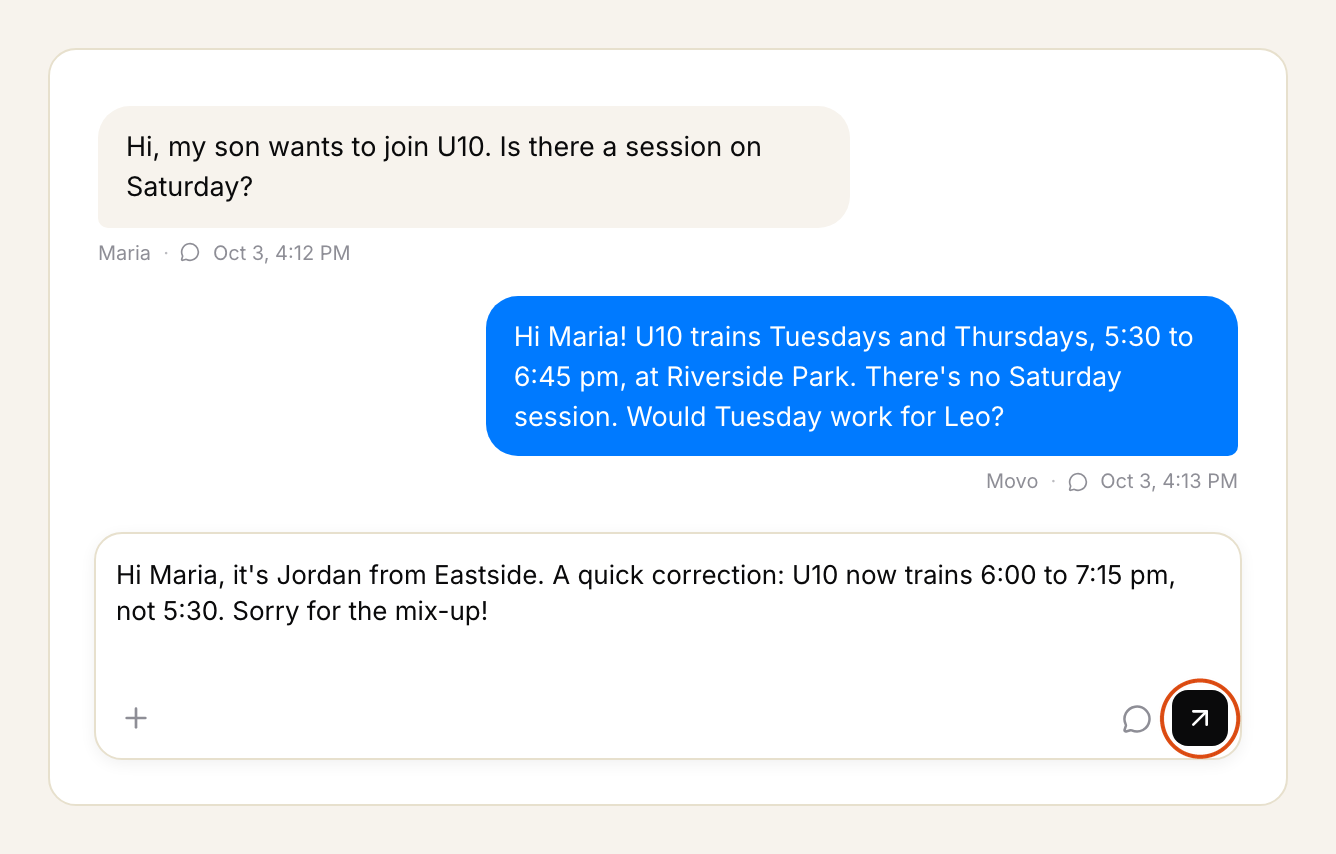
Your message shows in black with your name on it, so you can tell it apart from Movo's. It goes from the same number Movo uses with that family, so their reply comes back to the same conversation.

If the family speaks another language, the box says the message will be translated before it goes out. See What languages Movo speaks.
Send an email instead
Click the button next to send, then choose Email.

Type a subject and your message, then click send. An email needs a subject.

Add a photo to a text
Click the plus at the left of the box, then Add photos & files. Photos can be JPEG, PNG or GIF, up to 2 MB. Add a few words too: a photo can't go on its own.

Call a family
To talk to a family yourself, open their page from Families. Find their phone number on the parent's card, and call them from your own phone.

When you can't text a family
- They texted STOP. The box says texting is off for them. You can still email or call. See What happens when a family texts STOP.
- There's no number or email on file. The box says so. An admin can add one on the family's page. See Fixing a family's record.
If you've paused Movo for a family, you can still message them as normal. See Pausing Movo for a family.
What Movo does after you write
Movo reads your message as part of the conversation. It won't repeat what you said, and it carries on from where you left off.
If the family was waiting on your team, your reply usually closes that out. If your reply asks them something or promises to follow up, it stays open with your name on it until you're done. See Working your Needs You queue.