How to add families to Movo
Last updated: July 27, 2026
By default, Movo is set up to automatically reach out to families who sign up and come from your organization's website.
There may be times, such as after events, where you would like to add your own list of families to the Movo platform.
This is easy to do via the Audiences page.
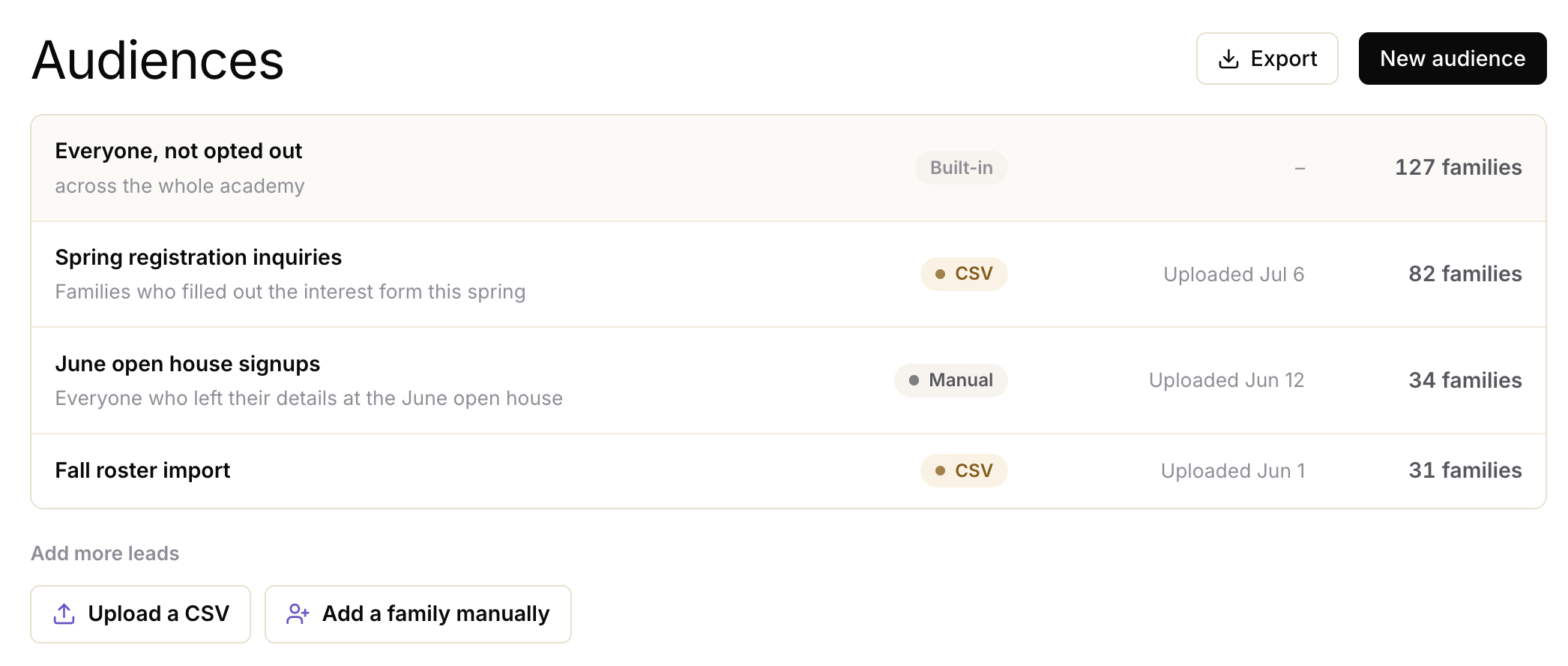
Adding a list of families
You're able to upload a list of families into Movo - for example after an event.
Click Upload a CSV from the Audiences page, and select your file containing:
Parent First Name, Last Name, Email, Phone
Child First Name, Last Name, Birth Year, (optional) Member ID
Any additional information you'd like to share ie How they heard about us
Adding an individual family
Alongside adding a bulk list of families, you may want to add an individual family.
From the Audiences page, select the "Add a family" button, and then enter the parent / child details on the form:
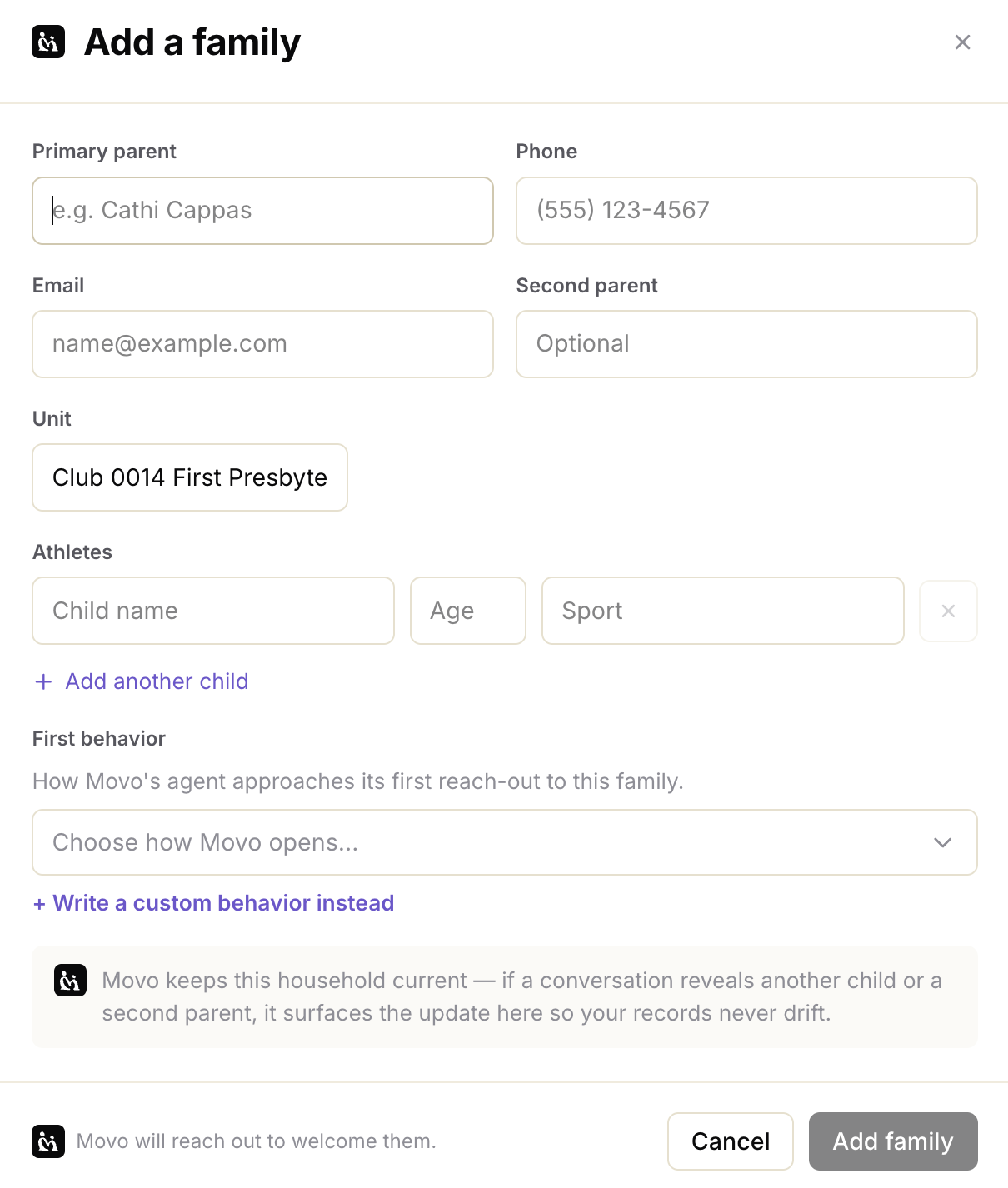
You can describe what Movo should do with the family, under First behavior - for example, reach out and thank them for attending your event.