How to upload paper applications to Movo
Last updated: September 9, 2026
Movo helps you engage families at all stages - whether that's finding a unit, answering questions related to an application, welcoming you, or handling your renewal.
You're able to upload leads who Sign Up outside of BeAScout - for example paper applications.
First, head to the Audiences Page: https://app.trymovo.ai/audiences
Look for the Paper Application - Application Completed audience.
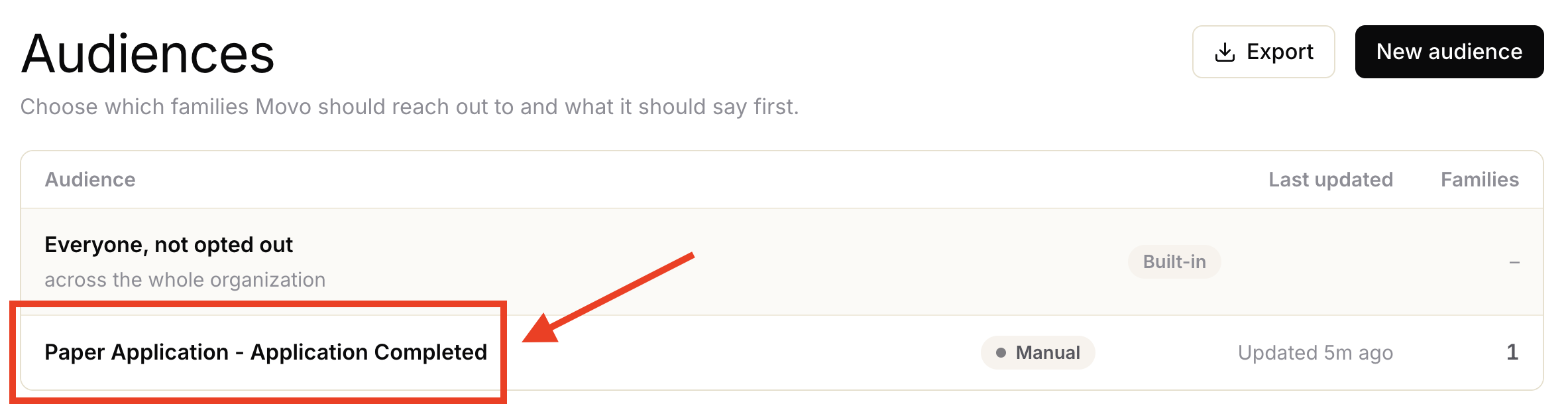
Once you're in the Audience, you can add either an individual family, or a list of multiple families.

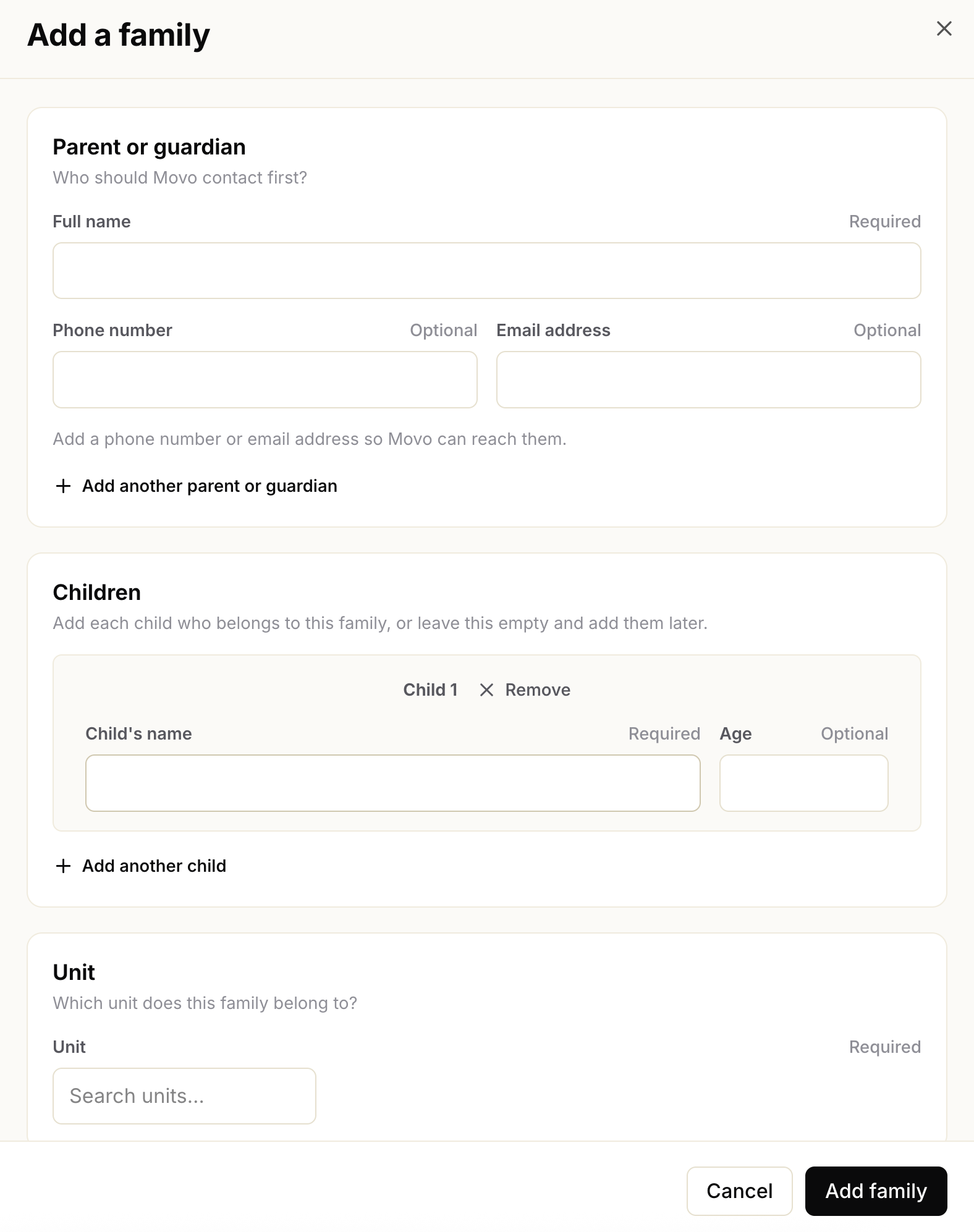
When adding an individual family, click "Add a family", enter the parent's details with at least one contact method, the child(ren)'s name, and the unit they registered with:
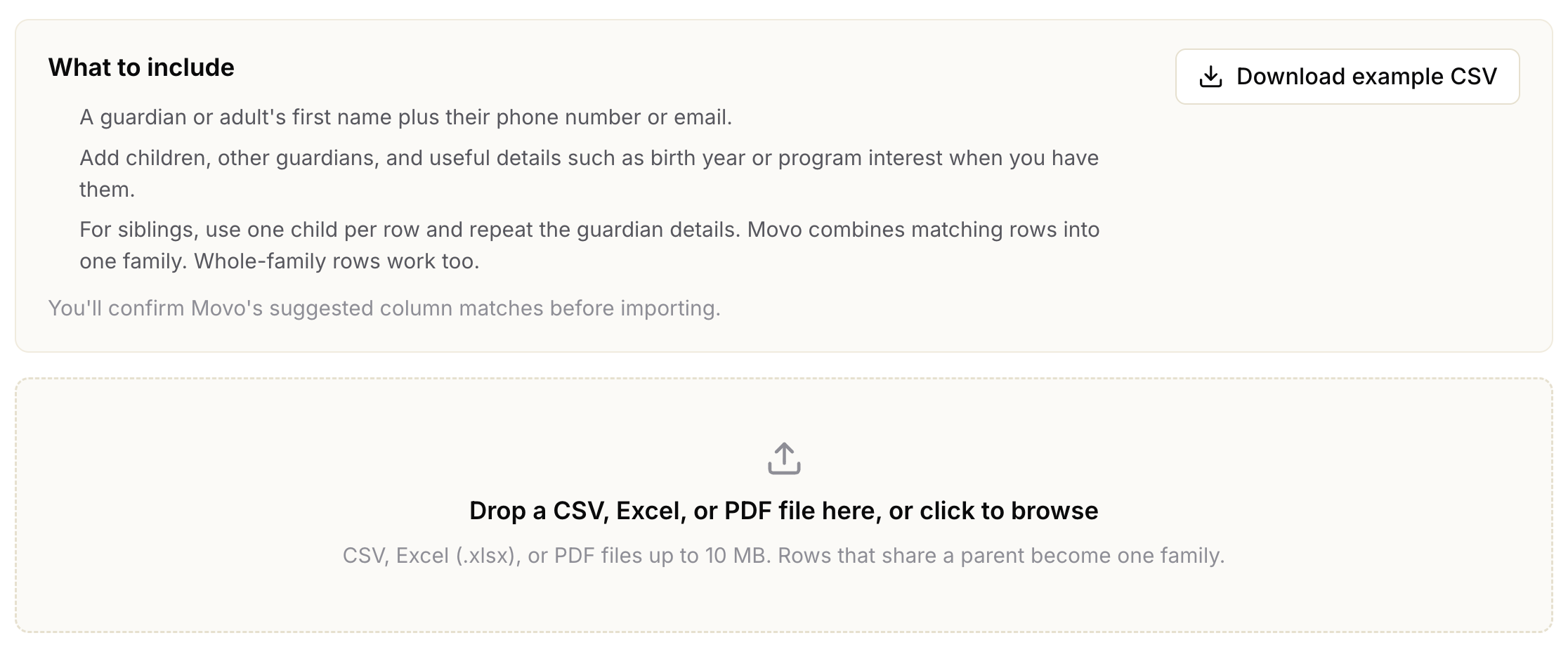
When adding multiple families, click "Import from a file", and drop in either a Spreadsheet or PDF with the family information. Make sure to include the parent's name, contact info, child's name, and the unit they signed up for.
Movo will then reach out and welcome them, in the same way we do BeAScout Complete applications.