How do I become an admin, and who is my admin?
Last updated: November 3, 2026
An admin can invite people to Movo and change what they can see. Most people don't need to be one. If you do, an admin in your organization can switch it on for you.
Am I an admin?
Open Settings. If there's a Team tab and you can invite people there, you are. If there's no Team tab, you aren't.
Who is my admin?
Start with whoever invited you. Your invite email came from them or from someone in your organization. If you don't know who that was, ask the people who manage your area.
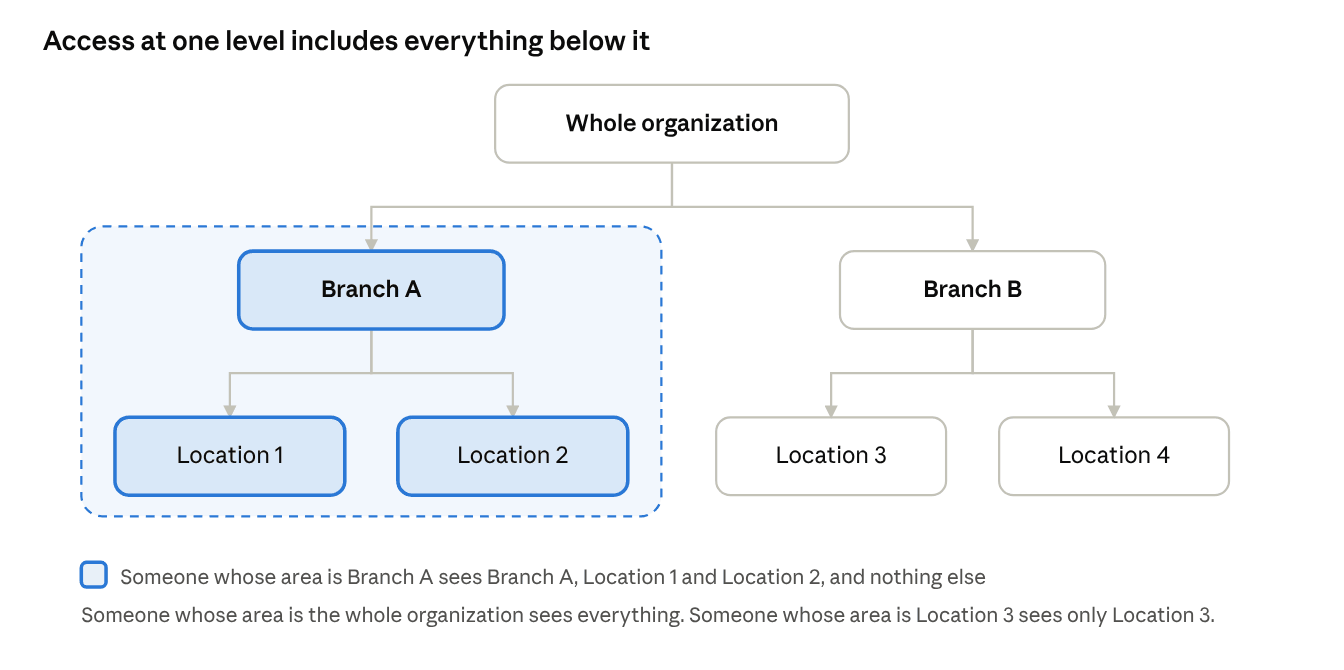
An admin can only manage their own area. An admin for one branch can invite people to that branch and its locations (shaded below), but not to the rest of the organization.
Making someone an admin
If you're an admin:
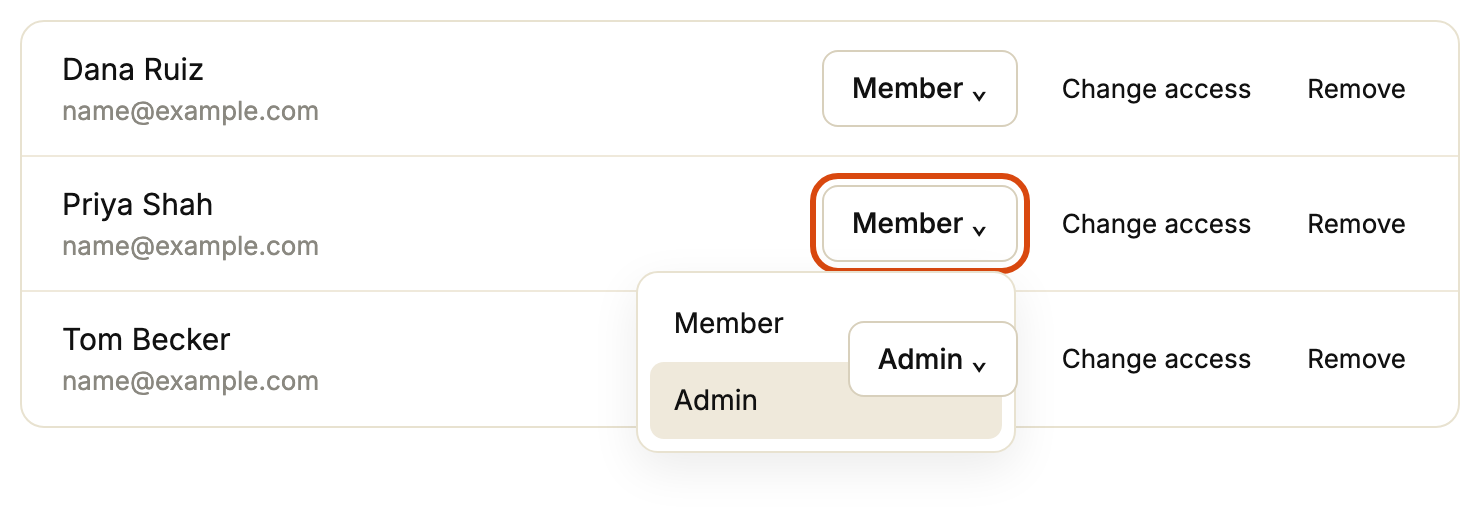
Go to Settings, then Team.
Find their row and open the Member menu (ringed below).
Pick Admin.
To invite someone new, or change what they can see, see Inviting your team and managing access.